

Back
Kyrylo Silin
Kyrylo Silin
@kyrylo
Hacking on telebugs.com, self-hosted error tracker without a subscription · Previously senior engineer at Airbrake, maintainer of the Pry REPL
13
Joined July 2024
🚀 ActiveJob integration for  #telesink is ready
Add the `telesink-activejob` gem, set 1 env variable, and start tracking job execution events instantly.
Filter everything in the dashboard.
P.S. Looking for beta testers:
x.com/kyrylo/status/204361571…
#telesink is ready
Add the `telesink-activejob` gem, set 1 env variable, and start tracking job execution events instantly.
Filter everything in the dashboard.
P.S. Looking for beta testers:
x.com/kyrylo/status/204361571…
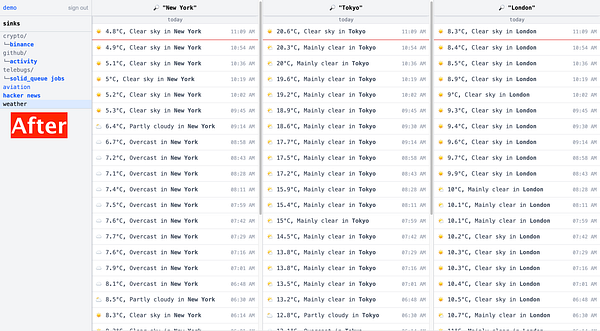
Don’t let the longest item decide the height of every card.
I just removed fixed heights from #telesink event cards.
Short events like this weather sink used to sit in tall, mostly empty boxes. Now the cards shrink to fit their actual content, and we can fit way more events on one screen.
Tiny change. Surprisingly big density win.
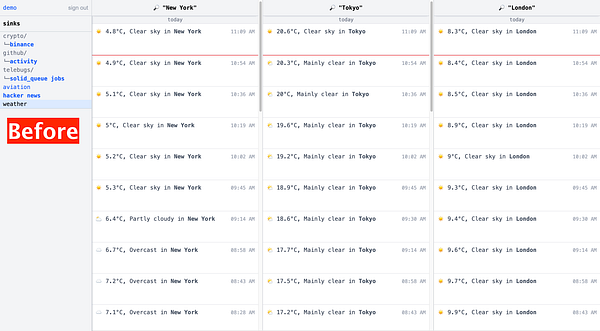
Don’t let the longest item decide the height of every card.
I just removed fixed heights from #telesink event cards.
Short events like this weather sink used to sit in tall, mostly empty boxes. Now the cards shrink to fit their actual content, and we can fit way more events on one screen.
Tiny change. Surprisingly big density win.
Most analytics dashboards are just one big overloaded mess.
#telesink is different: everything flows into one single sink, and you decide what to filter.
But once you track too many event types, even custom filters get overwhelming.
So I added Folders ✨
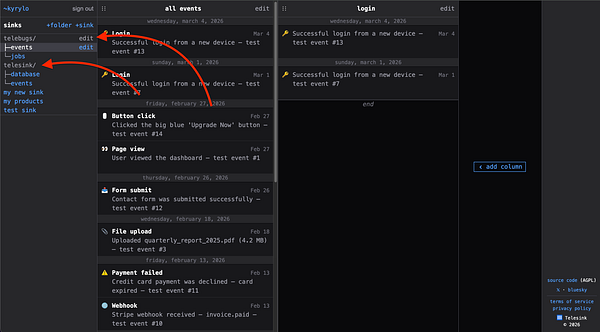
Here's how a simple monitoring for Solid Queue jobs could look with #telesink 👇
It's currently hardcoded to only  #telebugs demo jobs, but I'm planning to extract that code into a gem soon so you could get this functionality by simply depending on the gem.
Of course, you could come up with your own events to track, and your own dashboard filters.
Would this be useful for your projects? Let me know what you think 👀
#telebugs demo jobs, but I'm planning to extract that code into a gem soon so you could get this functionality by simply depending on the gem.
Of course, you could come up with your own events to track, and your own dashboard filters.
Would this be useful for your projects? Let me know what you think 👀
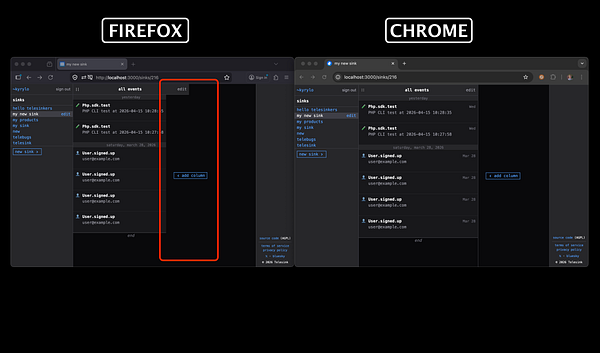
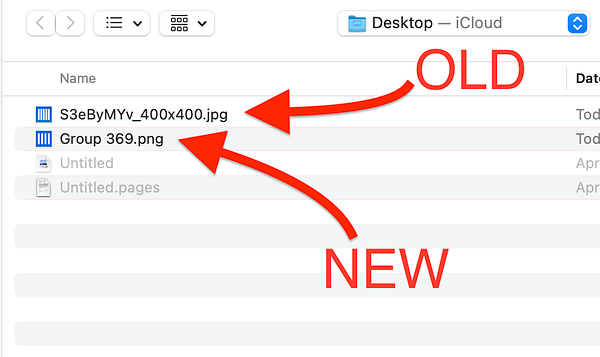
I spent a ridiculous amount of time trying to fix this CSS quirk in Firefox.
It’s one of those cases where I just pray to the AI slot machine and spin the reels until it’s fixed.
There weren’t many changes, but there was A LOT of experimentation:
github.com/telesink/telesink/…

Solid Queue is my default for background jobs in Rails.
Still feels a bit blind without real-time visibility though. I just started wiring up #telesink so I can see executions, failures and metrics live in a dashboard.
Should be interesting, stay tuned 👀
Clean UI > clever UI.
If users have to think, you already lost.
These team settings in #telesink are instantly obvious:
- who’s who
- what access they have
- how to recover account access
Serious B2B products need proper team features before launch.
I'm building exactly that for #telesink. Account owners can now invite team members and give them access to the same dashboards.
Collaboration, done right.
Modern dashboards are packed with icons. They look professional and save space, but while developing Telesink I realized they often create more friction than clarity:
telesink.com/blog/why-telesin…
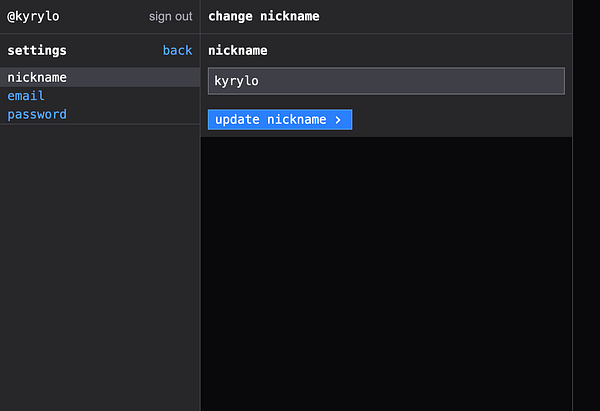
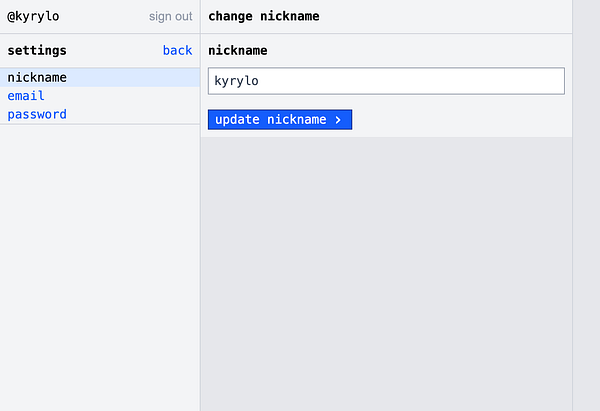
While building a mostly text-based UI for #telesink, something became obvious: icons make things look polished, but they rarely make things clearer.
kyrylo.org/2026/04/08/less-de…
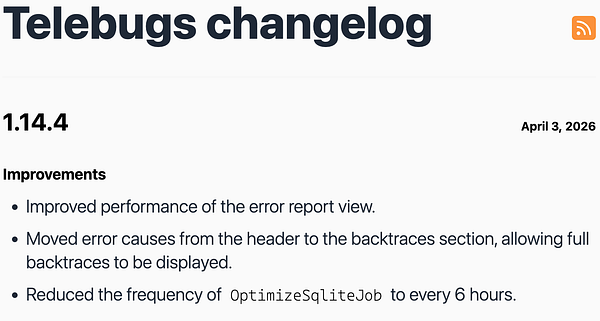
Improved the error report view in #telebugs. This was long overdue.
Nested errors (the actual cause) now live inside the backtrace:
✅ grouped together
✅ full stack trace (wasn’t available before)
As a side effect:
✅ fewer queries across Reports & Notes
✅ fully cached
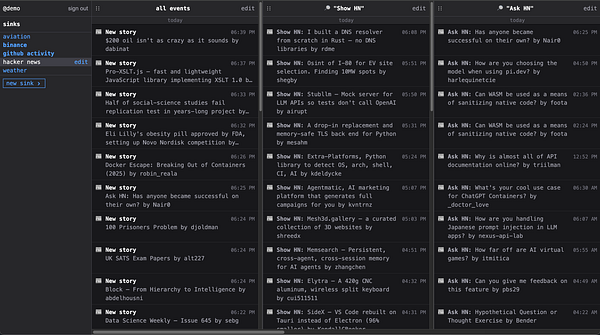
I just launched the first public #telesink demo!
Watch real-time events:
✈️ live aircraft
💵 Binance transactions
🐙 GitHub activity
👨💻 Hacker News posts & jobs
☀️ weather in major cities
See what’s happening, as it happens 👇
demo.telesink.com
---
Note: still a WIP, so not fully stable yet, bugs may happen.
The upside? It’s open-source!
github.com/telesink