

Back
Nathan Wailes
Nathan Wailes
@nathanwailes
Full-stack dev, 180 on the LSAT. Work habit goal: tinyurl.com/mr32bdjt i.imgur.com/e9b6bqw.png Productivity thoughts: shorturl.at/grcs8

57
Joined October 2020
Load previous page…
Finally got Dokku working with my frontend. Documented my issues here: github.com/dokku/dokku/issues… Tomorrow: figure out what to do next. Maybe look at my Google Tasks, old Trello, etc.
Continuing to try to get my dokku API to work, looking into an `ERR_CONNECTION_REFUSED` error. I posted for help on the dokku github: github.com/dokku/dokku/issues… I suspect the issue may be caused by my not having SSL set up but I'm not sure. I can't even find the logs where the refused connection is being logged.
Continuing to look into the CORS error I'm getting when my frontend tries to make an API request to my backend; it seems my backend dokku app wasn't deployed for some reason; destroyed my existing go dokku app and recreated it and then struggled with an error for a while before realizing I had the same issue a few days ago and the solution was to run `dokku builder:set backend-app build-dir backend`; now getting an error saying the download for my specified version of Go is "unknown to the buildpack"; after much trial-and-error I realized the problem was that Dokku has a stupid error message that makes it sound like it has already automatically chosen a Go buildpack when in fact it has not. I was additionally getting confused because I was seeing Dokku installing Go and not realizing that was because of my +heroku instruction in my go.mod file rather than Dokku automatically using a Go buildpack. The solution was to specify a Go buildpack for my app with `dokku buildpacks:add <my-app> heroku/go`. Now getting a new error: "Failed to connect to database". Fixed it by switching my code to use the `DATABASE_URL` environment variable that Dokku creates for your code to connect to the db. My `git push dokku main` finally succeeded, but I'm still getting a CORS error. Eventually figured out it was because my Dokku app name was `whatdo-backend` when I had forgotten that that would also be the name of the subdomain, so I had to delete the app and recreate it with the name `api`. I also created a `/ping` health-check URL to help me debug this more quickly. I'm now getting a 521 error, I think maybe because Dokku is running on http and Cloudflare is reaching out via https?
Ordered a FocusCap visor model b/c people walking by when I'm working in public is the most distracting thing for me right now: focuscap.io/products/focuscap ; bought a $7 baseball cap to use while I wait, I keep it pulled down low over my eyes and it's probably 90% as good. Verified that for local development my Go backend seems to be able to talk to my Vue frontend with the new way of having the API at a different domain instead of at /api/. Added the new env variable that stores the domain of the API to my Netlify setup and tried using the app, and got an "ERR_NAME_NOT_RESOLVED", realized I hadn't set up a Cloudflare A record for the 'api' subdomain to point to my Digital Ocean / Dokku droplet. After ~20 mins that error went away and it switched to a CORS error. Added my domain to my backend code as an allowed origin for CORS purposes.


Got my frontend app deployed to Netlify, it was surprisingly easy. Changed my Cloudflare DNS settings for the domain to point to Netlify, and turned off the 'Proxy' setting in Cloudflare. Changed my frontend and backend code to use the new setup of having the api at a different domain instead of at `/api/` at the same domain. Tomorrow I'll need to test that local development is still working properly and then see if I can get it working on Netlify/DigitalOcean.
Continuing to try to get Dokku working with a monorepo; I think I got past my last problem of how to deploy both apps by running on the server `dokku builder:set backend-app build-dir backend` (and similar for the frontend); now I'm seeing a new error when I try to deploy the frontend app: `Two different lockfiles found: package-lock.json and yarn.lock`; I seemed to fix it by deleting the yarn.lock. New error: "Missing script: start"; fixed that by adding a 'start' entry to my package.json. New error: "Cannot find module '@vitejs/plugin-vue'"; maybe because it's listed as a devDependency? I found this SO post where the guy said he ended up just putting his frontend on Netlify, so maybe I'll try that instead: stackoverflow.com/a/62455021/… ChatGPT is saying the way to do it is to deploy my API at api.mydomain.com and then direct traffic at other subdomains to Netlify to handle frontend requests. So I'll try that tomorrow.
Hit an error when trying to deploy the dokku app, I think it's because I have both a frontend dir and a backend dir in my repo. I think the next step is to try to follow the example of this github repo to deploy two separate dokku apps: github.com/abulte/dokku-simpl…
My next goal is to get postgres working locally instead of sqlite b/c apparently it's easier to use postgres on dokku(?). Installed postgres on my macbook using postgresapp.com, it was so easy 😭 Connected GoLand to a new postgres db for my backend; got my backend code working with the postgres db; committed and pushed my code. Next step is to continue with this guide: shellbear.me/blog/go-dokku-de…
Finally got the Dokku Ruby on Rails example app working 😭 Apparently I just needed to reboot the droplet? `curl` to my droplet's IP wasn't working, `dokku ports:list ruby-getting-started` didn't show it listening on port 80, `dokku ports:add ruby-getting-started http:80:5000` resulted in an error saying nginx wasn't running. Rebooting seemed to fix it. Next up is trying to deploy my Go backend with Dokku. Destroyed the ruby demo dokku app. Resized my DO droplet to the $6/mo one.
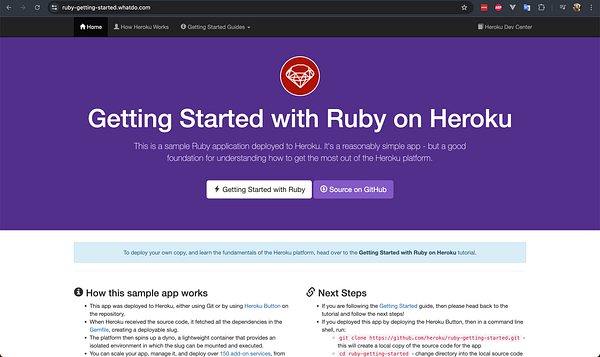
Continuing to try to get the dokku example app working. I'm getting an error when I visit saying "Web server is down" but it's not clear to me where to look for additional information about what exactly the problem is. The Digital Ocean logs for the subdomain app don't show any errors or even requests.
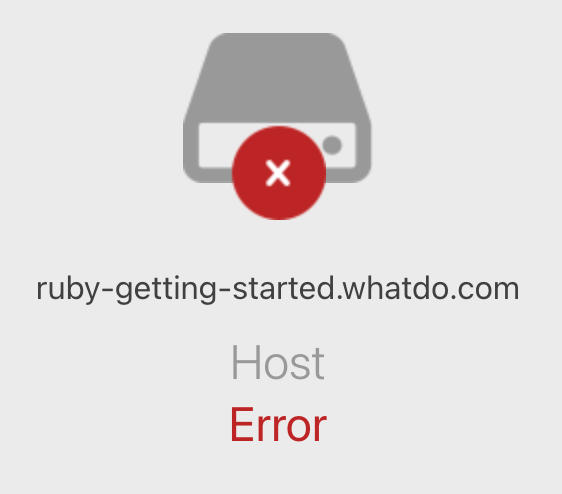
Looking into why the dokku example site isn't loading when I visit the URL in my browser. I had to add an A record for the subdomain in Cloudflare. But I'm now getting a message saying there's a host error, while dokku's logs don't show any issues (or apparently even any requests at all). I'm wondering if this is maybe SSL related. Deleted DNS records from Digital Ocean for domains I have DNS records for in Cloudflare.
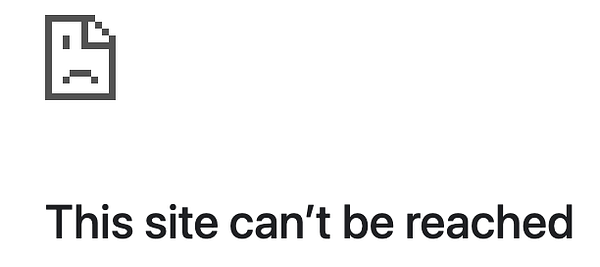
Looking into why `git push dokku main` didn't work. After much Googling, it was because my $5/mo 1 GB droplet didn't have enough RAM to build the Ruby on Rails demo app. So my plan is to use the $12/mo droplet to get the demo working and then try to downgrade to the $5/mo droplet when I switch to trying to use Dokku with my Go backend.
Dokku: Starting going through this guide: dokku.com/docs/deployment/app… Got stuck for ~40mins on `git push dokku main` b/c I hadn't run the `git remote add dokku <url>` command correctly: I had to specify my droplet's IP instead of my domain name (b/c cloudflare blocks port 22), I wasn't supposed to start the URL with ssh://, and I somehow ended up with the wrong IP in the URL at one point.
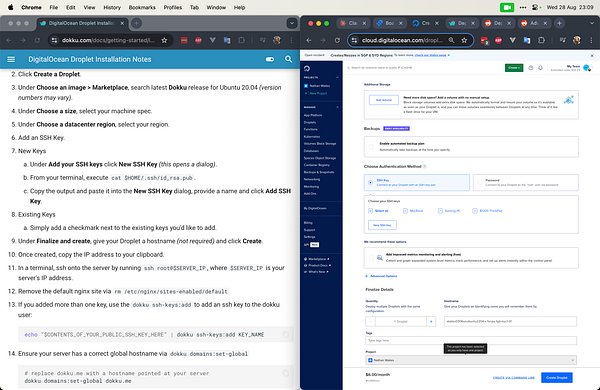
Started learning Dokku / trying to set it up with Digital Ocean. ty @ben ... joined the dokku discord; went through this guide: dokku.com/docs/getting-starte… ; switched my whatdo domain in DigitalOcean to point to the new dokku droplet ; asked for help in the forum to understand what it means for "the web UI [to be] submitted": github.com/dokku/dokku/discus… ; I think it's referring to the DO UI for creating the new droplet ; next step for tomorrow: go through this guide: dokku.com/docs/deployment/app…
Copied over the frontend changes needed to get the auth working from my  #govuetifytemplate to my #whatdo repo
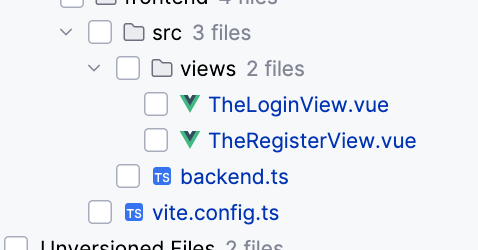
Figured out how to fix the problem I frequently have with Jetbrains where it doesn't show my project files, posted the answer to Stack Overflow: stackoverflow.com/questions/5…
Started looking into why my existing frontend code in my whatdo repo isn't working with my Go backend code when I try to log in, I think I need to update the URLs that the frontend is making requests to and maybe also change the request data format.
Copied over my backend Go code from my go-vuetify-template repo to my whatdo repo and deleted the flask backend code, now I just need to see what functionality is missing from the Go backend code that was in the Flask code.
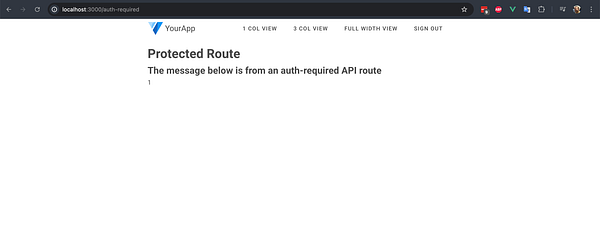
Got my auth-required Go endpoint working and returning the user's ID w00t
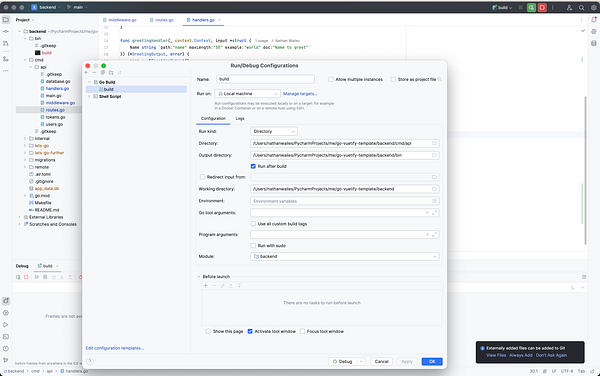
Got the GoLand debugger working with my web app backend, it was super easy, I just had to switch the configuration "Run kind" from Package to Directory and point it at /cmd/api/