
Back
Post
I need some guide, can't fix: 1.28K of your pages aren't indexed: Server error (5xx)
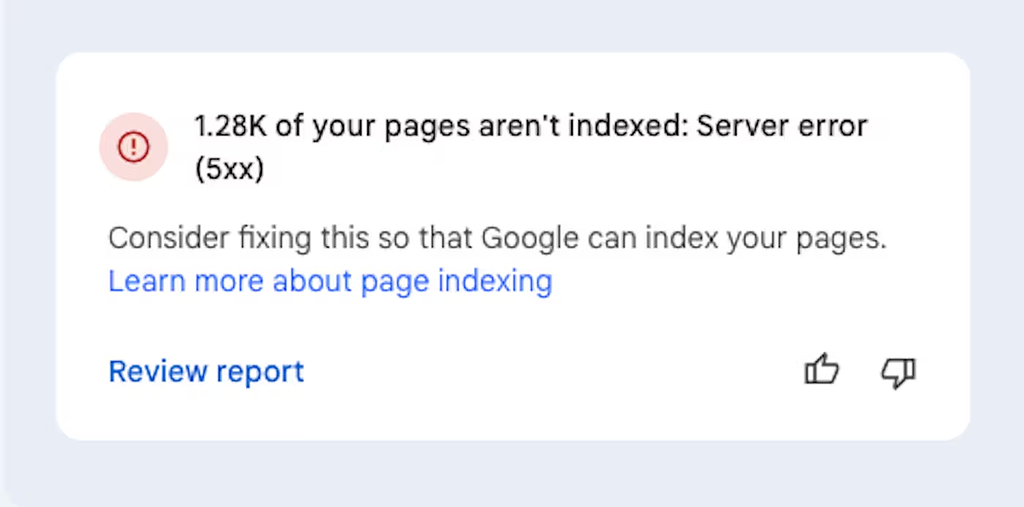 image.png
172 KB
image.png
172 KB
Hello everyone,
I have been trying to fix this by myself on my [website](https://lexingtonthemes.com/), but after months of trying and lot's of work, test and frustration I have no choice but to ask for guidance here because i am hitting a wall...
So I have this website where I keep getting this error:
> 1.28K of your pages aren't indexed: Server error (5xx)
**Some context of what I did.**
* Removed all subdomains I had because I did not need them anymore.
* Update my sitemaps on google search console
* Updated all my keywords
* Check if I have Canonical, and I do have
* Added a ld+json schema in all my pages
* Added all the meta tags
* Sitemap is updated and asked to be crawled
* was wondering if this has to do with where I host my website, Netlify.
* Made 100s of tutorials
* Added a blog
* Remove all my redirects because I do not need them anymore
My question is, if there's anything you would recommend doing?
Thank you in advance and have a good day!
👋 Join WIP to participate
If those links are not broken...don't worry Google will index it again but will take time
Hiii, SEO/content strategist here. As always when you guys ask SEO questions, this will be a long, thorough response that's probably way too long for WIP lol. If you have questions, give me a shout :)
So it looks like you’ve done a lot of the right things already on the SEO/content side (and THANK YOU for documenting what you've done so clearly!!), so the remaining issue is almost certainly technical rather than content-related.
The error you're getting just means Googlebot is trying to crawl but the server is responding with errors (timeouts, misconfigurations, overload, etc).
Could you try these and see if they help?
Check your server logs. On Netlify, you should be able to review deploy logs and error logs to see what requests are failing. This will help you confirm if it’s a hosting issue or a misconfiguration.
Run a crawl test. Use a tool like Screaming Frog (or whatever you're comfortable with) to crawl your site. Compare which URLs fail with 5xx errors. That can quickly show you patterns like large assets, timeouts, redirects looping.
Test specific URLs. You should be connected with GSC already. In GSC → URL inspection, test live URLs that show the error. If they fail there too, it’s definitely server-related.
Check Netlify settings. Are you using custom redirects/rewrites in your netlify.toml? If you have old or malformed rules can cause 500-level errors. If you removed subdomains or redirects recently, make sure nothing is still pointing to dead endpoints.
Verify every single sitemap URL (I know 😭). If your sitemap includes pages that no longer exist or still point to broken redirects, Google will keep trying and keep hitting errors. Run your sitemap through a validator to be sure every URL is live and returns a 200 if you don't want to torture yourself unnecessarily by doing this manually (like I used to lol)
Look for resource limits. So Netlify is a static host and they throw 5xx errors if too many requests happen at once or if pages depend on serverless functions time out. If you’re using serverless code, check whether those are failing under Googlebot’s load.
If all else fails, reach out to Netlify since they'll have more visibility into 5xx responses from their side.
Oh my days, what a long answer thank you so much for taking the time to answer.
I did all you recommended and I found this:
So, I have been digg big time and i used to have subdomains for my website templates.
I happen to redesign this ones and pages URL has changed, so i was getting 404s and so on, then also some old blog posts...
Been removing on GS and adding the new URLs and add the robots and redirects.
Will see if this helps.
Thank you so much Cat.
Haha I always worry I'm being way too extra or taking it too seriously by writing these long answers, but I'm really glad it helped you!!
Let me know how it works out. If it doesn't, I can help troubleshoot more with you.